


Netflix Puzzled
4.4709.00 Reviews
App Specs
- Version
- 11.0.0
- Updated On
- License
- Free
- Downloads
- 1,000,000+
- Developer
- Netflix, Inc.
- Categories
- Word
- Platform
- Android
Screenshots
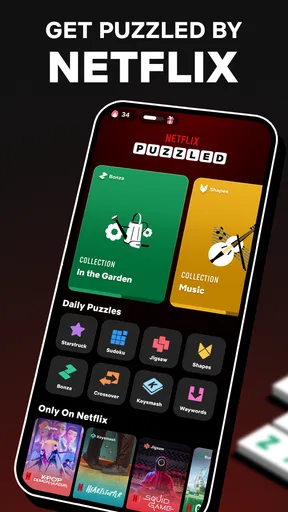
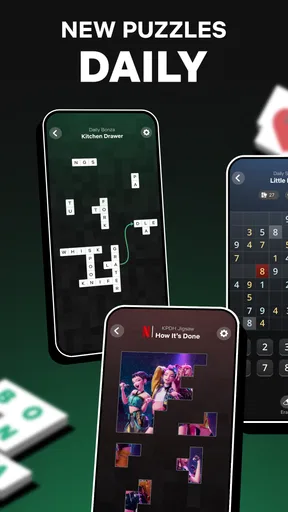
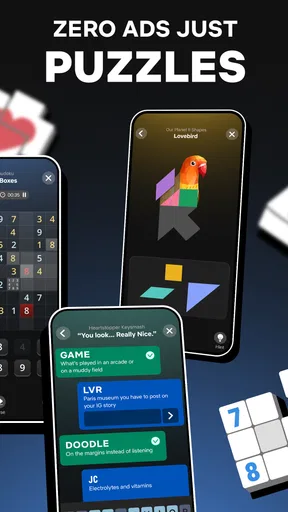
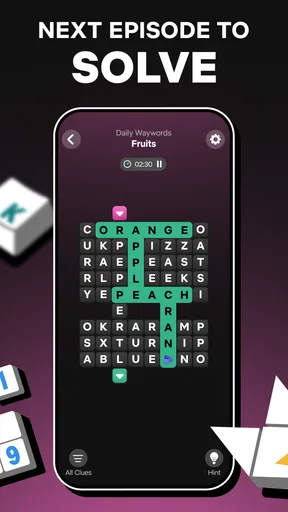
 Analysis by AppCompare
Have you ever imagined solving puzzles while diving into your favorite Netflix shows? Well, that's exactly what Netflix Puzzled brings to your screen. I recently got my hands on this quirky and entertaining app, and let me tell you, it's a delightful mix of brain-teasing fun and binge-worthy content.
How it reads and where it fits
What I would add to that first impression is a more practical point: a puzzle app succeeds or fails on whether I can understand its screen before I lose patience. Netflix Puzzled is a word game from Netflix, Inc., but its puzzle mix also includes logic and visual challenges. That variety can make it easier to find a comfortable starting point than a game built around one narrow format. The app is free, and its Teen age rating is worth checking if you are choosing a game for someone else.
In a quick session, I would approach the different puzzle types as separate ways to focus rather than as one continuous challenge. A word puzzle asks me to scan and compare letters; a jigsaw-style task puts more weight on visual matching; Sudoku relies on tracking possibilities. Switching between those demands can be refreshing, but it also means that a mode that feels clear to one player may not feel equally comfortable to another. I would try a few kinds of puzzles before deciding whether the overall mix suits me.
Readability is not only about whether text is large enough. It is also about whether instructions make sense, whether the screen presents too many competing details, and whether I can tell what to do next. The interface felt straightforward to me, though the amount of visual variation that makes a puzzle collection lively may also make it harder to settle into a predictable routine. If I prefer a quiet, uniform layout, a dedicated word-search or Sudoku app may feel calmer.
Unleashing the Puzzle Adventure
From the moment I launched Netflix Puzzled, I was greeted with a sleek interface that immediately caught my eye. The app's design is spot on, with a vibrant color palette that reflects the diverse range of Netflix shows it features. It’s like stepping into a vibrant hub of entertainment.
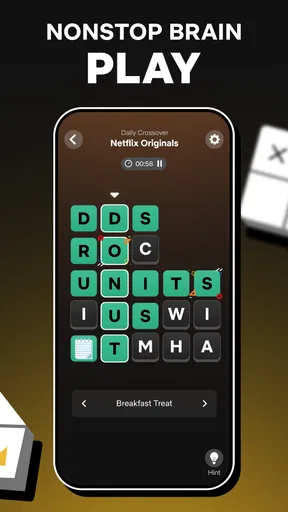
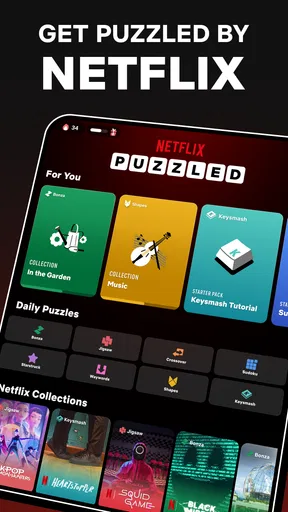
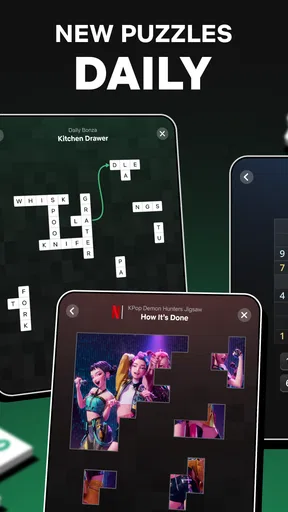
The gameplay is all about solving puzzles that are cleverly intertwined with various Netflix series and movies. Each puzzle level is inspired by a different show, and boy, does it bring a fresh twist to your typical puzzle game! The app offers a variety of puzzle types, including matching tiles, word searches, and jigsaw puzzles. It's like having a little slice of Netflix trivia right at your fingertips.
Why It's a Must-Try
One of the highlights of the app is its ability to keep you hooked for hours. The puzzles are challenging enough to make you think but not so difficult that you want to throw your phone across the room. What’s more, as you progress, you unlock exclusive content and fun facts about the shows — a neat little bonus for any Netflix aficionado.
Worth Reading Before You Choose

Flipboard Shows What News Apps Must Do Beyond the Feed

Switching to Android Auto Means Rethinking Your Driving Routine

Google Calendar Makes a Crowded Week Easier to Manage

Ludo King Makes the Most of the Minutes Between Plans

Baby Panda World Brings Quick Play to Modern Phones, but Its Game Library Feels Busy

ESPN’s Live Game View Makes Following Close Games Easier
I found myself particularly addicted to the "Stranger Things" themed puzzles. Each level had me reminiscing about classic moments from the series while keeping my brain engaged. It’s a great way to test your knowledge and memory of the shows you love.
Making a short session work
The strongest everyday use case is a small break when I want to do something more engaging than scrolling but do not want to start a long game. I might open it while waiting for a takeaway order or during a quiet stretch on a commute, solve one puzzle, and put the phone away. The mix gives me a choice based on my energy: a word task when I want to concentrate, or a visual puzzle when I would rather work by recognition than recall.
A useful habit is to stop at a natural point rather than keep playing simply because another puzzle is available. If I am tired, wordplay can become more frustrating than relaxing; switching to another type may help, but it can also be better to pause. The collection is most appealing when I treat it as a flexible pocket activity, not as a promise that every mode will suit every mood.
For fans of the shows, the themed framing can make the puzzles feel more personal than a standard brain-training grid. It gives familiar entertainment a small interactive afterlife without requiring me to rewatch an episode. That connection is also a limit: if I have little interest in Netflix titles, the show references may add less than they do for a regular viewer. I would choose a specialist puzzle app instead if I mainly wanted a deep library of one particular format.
Interface and User Experience
The app runs smoothly, and I didn’t encounter any glitches or crashes, which is always a win in my book. Navigating through the app is intuitive, and there’s a helpful tutorial at the start that gets you up to speed in no time. Whether you're a puzzle novice or a seasoned pro, the user experience is designed to be welcoming and straightforward.
One thing I appreciated was the option to adjust the difficulty level. Whether I was in the mood for a quick brain teaser or a more complex challenge, the app had me covered. This flexibility makes it accessible for all ages, from kids to adults.
Hands, eyes, and attention
Different puzzle formats can ask different things of a player’s hands and senses. A task that involves selecting small pieces or moving through a busy visual board may be more tiring for someone who finds precise touch input difficult. Word-focused play may be preferable for some people, while others may find dense letters harder to scan. I would test the formats that interest me in a relaxed moment and notice which interaction feels comfortable, rather than assuming that one format is automatically easier for everyone.
It is also worth considering the setting. Bright colors and screen activity that feel lively at home can be distracting in a crowded place, while looking down at a phone for a long stretch may not be comfortable for everyone. I would keep sessions short when playing on the move and avoid trying to solve a puzzle while walking or doing something that needs my attention. If sound or motion is a concern, I would check the experience on my own device before relying on it in a particular environment.
Where the trade-offs show
A collection of several puzzle styles is a strength, but it is not the same as a dedicated tool designed around one specific need. Players who want a large set of increasingly complex Sudoku boards, a focused vocabulary workout, or a minimalist interface may be happier with a specialist alternative. Netflix Puzzled is better suited to someone who values switching between formats and enjoys the entertainment context around them.
There is a similar trade-off for people who prefer predictable progression. Moving among distinct puzzle types can keep a session from feeling repetitive, yet it may interrupt the rhythm for someone who wants to master one mechanic over time. I would choose a mode that feels comfortable and return to it when I want continuity; when I want variety, I would explore another. That small choice can make the game feel more welcoming without pretending every challenge will fit every player.
The game is free, and its average rating is 4.8 from around 3,400 ratings, with over a million installs. Those figures suggest broad interest, but they cannot tell me whether the presentation, pace, or particular puzzle styles will work for my own preferences. The current version is 7.1.0, and it was released on November 20, 2025. It requires operating system version 10 or later, so checking compatibility before downloading is a sensible first step.
Final Thoughts
All in all, Netflix Puzzled is a fantastic addition to the world of mobile gaming apps. It combines the thrill of puzzles with the excitement of Netflix shows, creating an experience that’s both entertaining and mentally stimulating. If you’re a Netflix fan looking to add a bit of interactive fun to your viewing habits, this app is definitely worth a try.
So, grab your phone, download Netflix Puzzled, and get ready to dive into a world where puzzles and your favorite shows collide. Happy puzzling!
Who I would recommend it to
I would recommend it to people who like short word and logic challenges, enjoy the connection to Netflix entertainment, and are happy to move between different puzzle styles. It may also suit a household where players have different tastes, since the varied formats offer more than one way to spend a few minutes. The Teen rating makes it important to use your own judgment for younger players rather than treating the game as automatically suitable for every child.
I would steer someone elsewhere if they want a purely text-based experience, need a highly consistent layout, or are looking for a specialist game with a single puzzle type at its center. Likewise, a player who dislikes entertainment tie-ins may prefer a conventional word-game app. For everyone else, I would start with a short session, try more than one format, and keep the modes that feel enjoyable rather than forcing myself through the whole collection.
Pros
- Engaging variety of puzzles.
- Intuitive user interface.
- Seamless Netflix integration.
- Regular updates with new content.
- No ads interrupting gameplay.
Cons
- Limited offline functionality.
- Requires strong internet connection.
- High data consumption.
- Occasional performance lags.
- Not suitable for younger audiences.
FAQs for Netflix Puzzled
What is Netflix Puzzled?
Netflix Puzzled is a captivating puzzle game designed for both Android and iOS platforms. It combines elements of traditional puzzle-solving with themes inspired by popular Netflix shows. Players can immerse themselves in a variety of challenges, each crafted to enhance problem-solving skills while providing entertainment linked to their favorite series.
How do I play Netflix Puzzled?
Playing Netflix Puzzled involves selecting a puzzle based on a Netflix series, then solving it using intuitive touch controls. Each puzzle is unique, offering different levels of difficulty. Players can earn points, unlock new challenges, and even compete with friends on leaderboards, making it a comprehensive and engaging experience.
Is Netflix Puzzled free to download and play?
Netflix Puzzled is free to download on both Android and iOS. The game offers a free tier with access to a selection of puzzles, while additional content and premium features may require in-app purchases. This structure allows players to experience the game without upfront costs while providing options for expanded gameplay.
Does Netflix Puzzled require an internet connection?
While Netflix Puzzled can be played offline, an internet connection is recommended for the best experience. Online connectivity allows players to access additional features such as leaderboards, updates, and new puzzle releases. Offline play supports basic gameplay but may limit access to some content and community features.
Can I play Netflix Puzzled on multiple devices?
Yes, Netflix Puzzled supports multi-device play. Players can log into their accounts on different devices to sync progress and achievements. This feature ensures a seamless gaming experience, allowing players to continue their adventure wherever they go, without losing any progress or rewards.


